
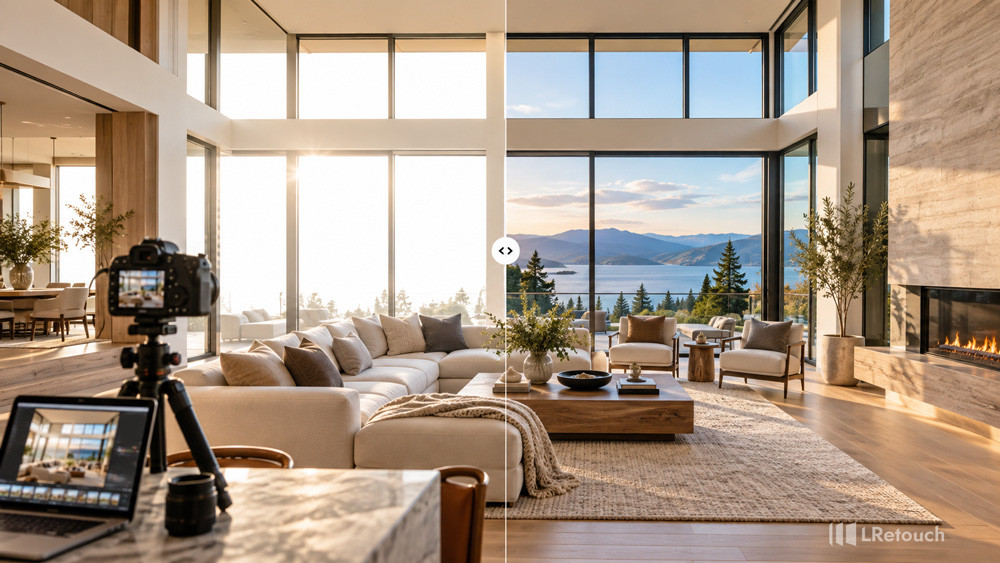
Learning how to fix blown out windows photography helps you create brighter interiors while preserving natural outdoor views. Clear windows make property photos more attractive and professional. They also help potential buyers understand the property’s layout, lighting, and surroundings.
What causes blown out windows in real estate photos?
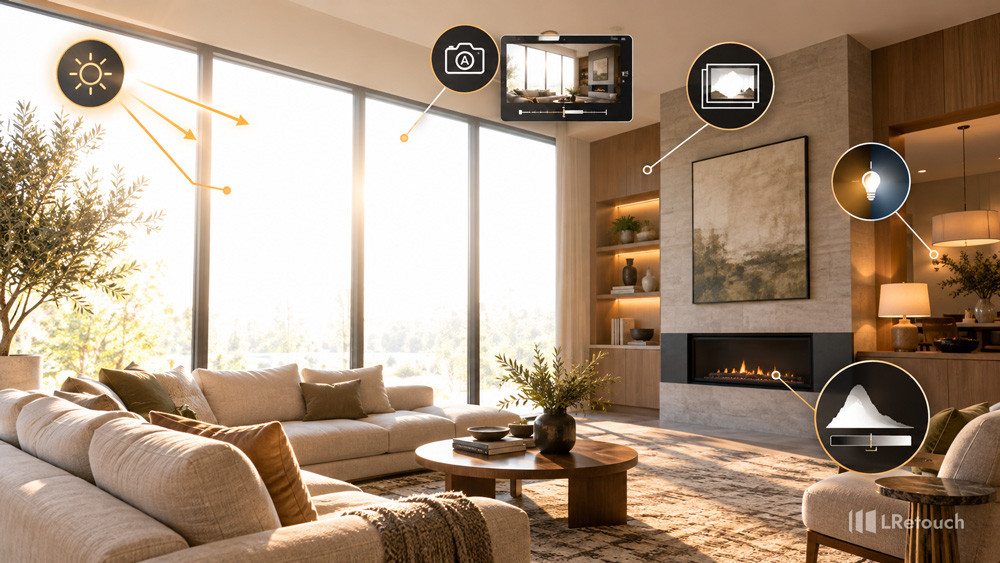
Blown-out windows occur when bright outdoor light exceeds your camera’s dynamic range. Dynamic range refers to the range of light intensities a camera can capture in one image. Interior real estate photography often presents this challenge.
On sunny days, outdoor scenes can appear much brighter than indoor spaces. Your camera struggles to capture both areas with balanced exposure. When you expose for darker furniture and walls, the windows may become completely white. Their original details disappear.
Conversely, exposing for the outdoor view can make the interior too dark. Walls, furniture, and decorative features may lose important details. This imbalance creates an unprofessional appearance.
What causes blown out windows in real estate photos?
Several factors can make the problem worse:
- Harsh midday sunlight: Direct sunlight creates strong contrast between indoor and outdoor areas.
- Automatic camera settings: Automatic exposure may prioritize the interior and overexpose the windows.
- Single-exposure shooting: One photograph may not capture the full brightness range of the scene.
- Mixed lighting: Daylight, ceiling lights, and flash can create uneven illumination and color casts.
- Incorrect camera settings: High ISO, unsuitable shutter speeds, or poor exposure compensation can reduce image quality.
- Limited sensor dynamic range: Even professional cameras cannot capture every highlight and shadow in extreme lighting conditions.
Understanding these causes helps you choose the right solution. To fix blown out windows photography effectively, start by controlling the light during capture. Then use editing techniques to recover missing details and balance the final image.
How to fix blown out windows photography?
Recovering window details requires a combination of careful shooting and precise editing. Follow these methods to create balanced interior property photos.
1. Capture Multiple Exposures
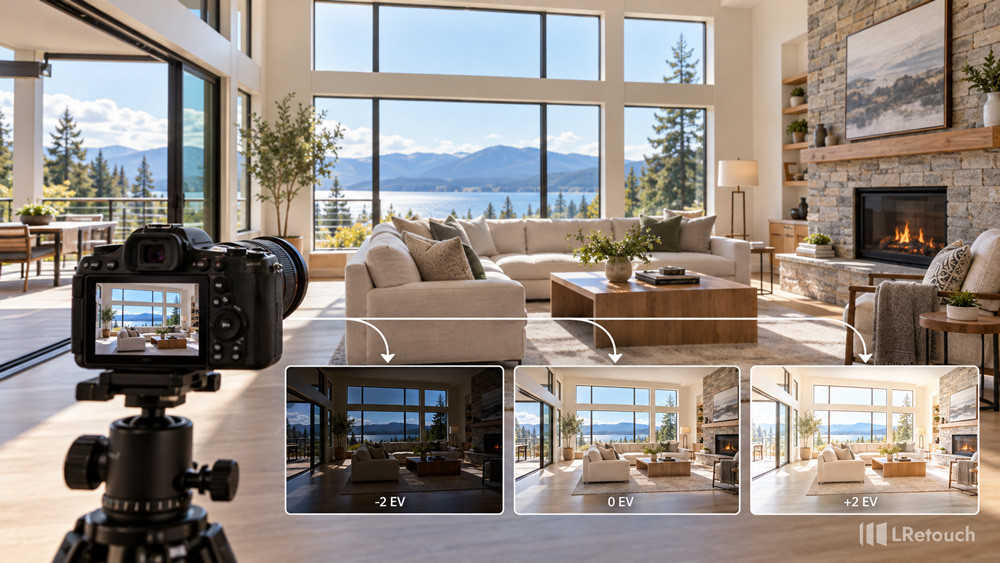
The most reliable solution is capturing several exposures of the same room. This technique is called exposure bracketing.
Capture Multiple Exposures
Take at least three photographs with different exposure settings:
- Bright exposure: Capture interior walls, furniture, and shadow details.
- Balanced exposure: Record the general appearance of the room.
- Dark exposure: Preserve outdoor scenery, window frames, and sky details.
Keep your camera on a tripod to maintain consistent framing. Use manual exposure settings whenever possible. This makes combining images easier during editing.
A bracketed exposure window fix works well when the windows are completely white in your main photograph. However, you need an additional exposure containing actual outdoor details. Editing cannot reliably restore information that was never captured.
2. Use Lightroom to Recover Window Highlights
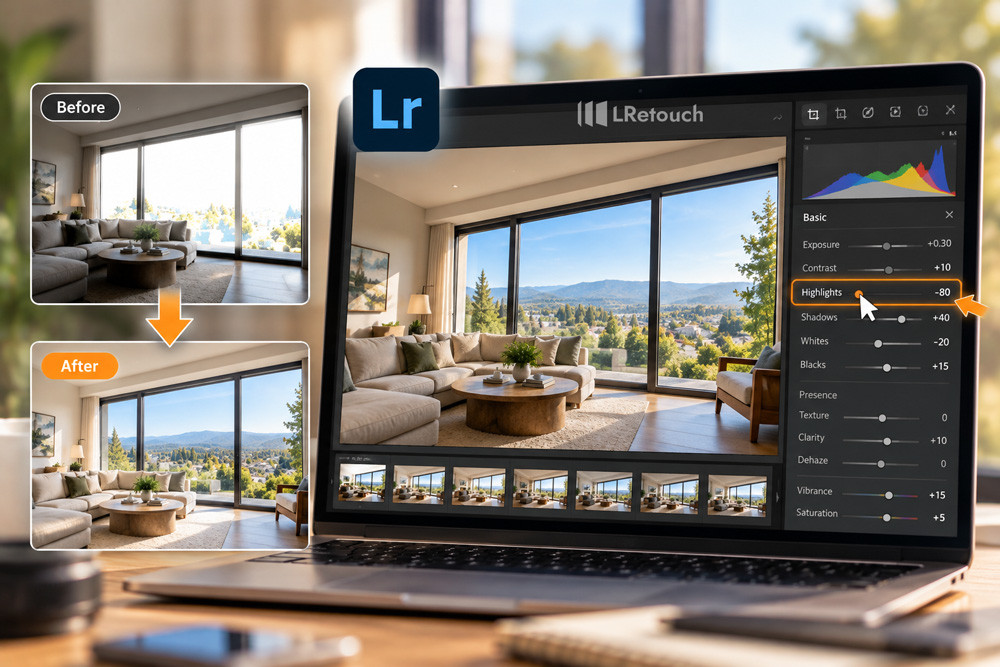
Adobe Lightroom offers several tools for correcting overexposed windows. Start with your RAW files because they usually retain more highlight information than JPEG images.
First, adjust the overall exposure. Reduce the Highlights slider to recover bright areas. Lower Whites slightly if the windows remain too bright.
Next, adjust Shadows to reveal darker interior details. Increase the Exposure slider cautiously if the entire room looks underexposed.
For overexposed window recovery in Lightroom, avoid applying every adjustment globally. Excessive highlight recovery can make the entire photograph look flat. Instead, use selective adjustments to target specific areas.
Use Lightroom to Recover Window Highlights
Remember that completely clipped highlights may contain no recoverable detail. Use another exposure when the outdoor scene has disappeared entirely.
3. Apply Masks to the Windows
Local masking allows you to adjust windows without changing the entire room. Lightroom’s masking tools can help you isolate bright window areas.
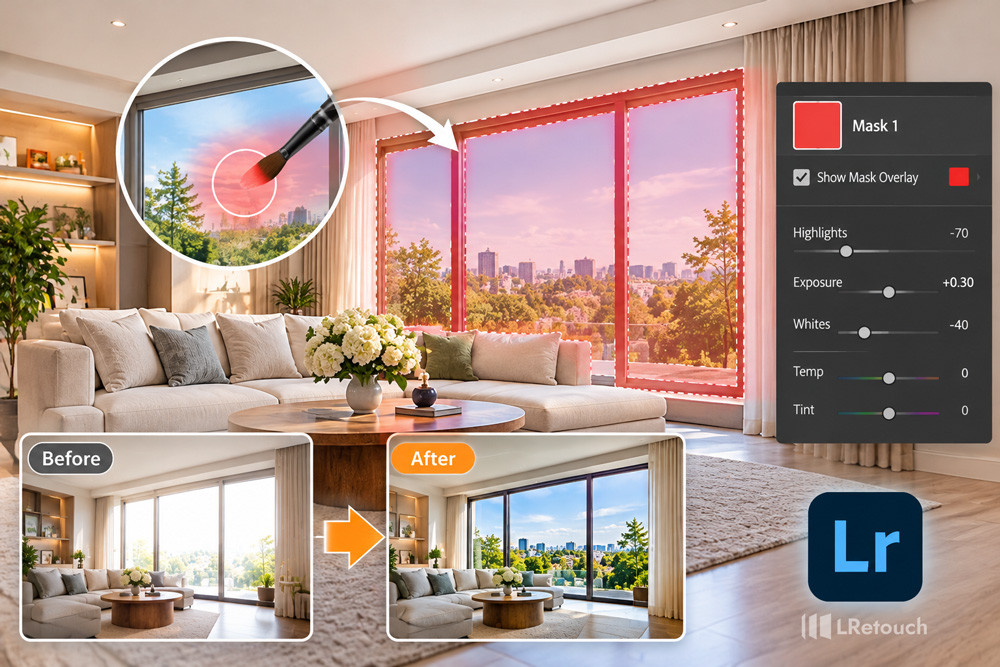
Apply Masks to the Windows
Follow these steps:
- Open your image in Lightroom.
- Select the masking tool.
- Create a brush mask or rectangular selection over the window.
- Refine the mask around the window frames and surrounding walls.
- Reduce Highlights and Exposure until outdoor details become visible.
- Adjust Temperature and Tint to match the surrounding light.
The mask interior window pull technique works best when the selection follows the window’s boundaries. Avoid covering curtains, furniture, or nearby walls unnecessarily.
Inspect the edges at high magnification. Poor masking can create dark outlines or unnatural transitions. Feathering and refining the mask helps produce a more realistic result.
4. Blend Bracketed Exposures in Photoshop
When Lightroom adjustments are insufficient, combine multiple exposures in Adobe Photoshop.
Start by importing your bracketed images as separate layers. Align the layers before blending them. This step is essential when small camera movements occurred between exposures.
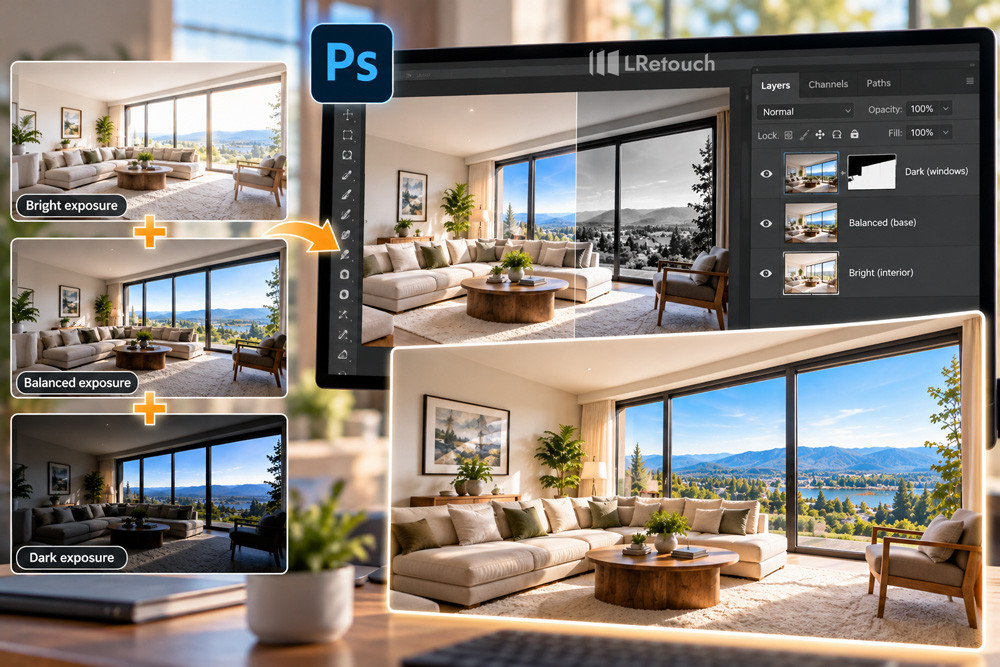
Blend Bracketed Exposures in Photoshop
Place the properly exposed interior on the bottom layer. Add the darker exposure above it. Apply a layer mask to reveal the outdoor details from the darker image.
Use a soft brush to blend the window area gradually. Preserve window frames, curtains, and reflections whenever possible.
For a more automated workflow, use HDR merging in Lightroom or Photoshop. HDR processing combines different exposures into one image with a broader tonal range.
Keep the result natural. Excessive HDR processing can introduce halos, strange colors, and unrealistic contrast. These effects can make property listings appear misleading.
5. Make Real Estate Photos Brighter Without Losing Window Detail
Bright interiors help buyers understand a property’s atmosphere. However, increasing brightness across the entire photograph can overexpose the windows again.
To make real estate photos brighter, adjust the interior and exterior separately. Increase Shadows to reveal darker corners. Apply moderate Exposure adjustments to the room. Reduce Highlights within window masks to preserve outdoor scenery.
Correct white balance after balancing exposure. Daylight often appears cooler than indoor artificial lighting. Use consistent color adjustments to avoid unnatural yellow or blue areas.
You can also use fill flash during capture. Bounce the flash off a suitable ceiling or wall to brighten the interior more evenly. Avoid pointing it directly at reflective windows.
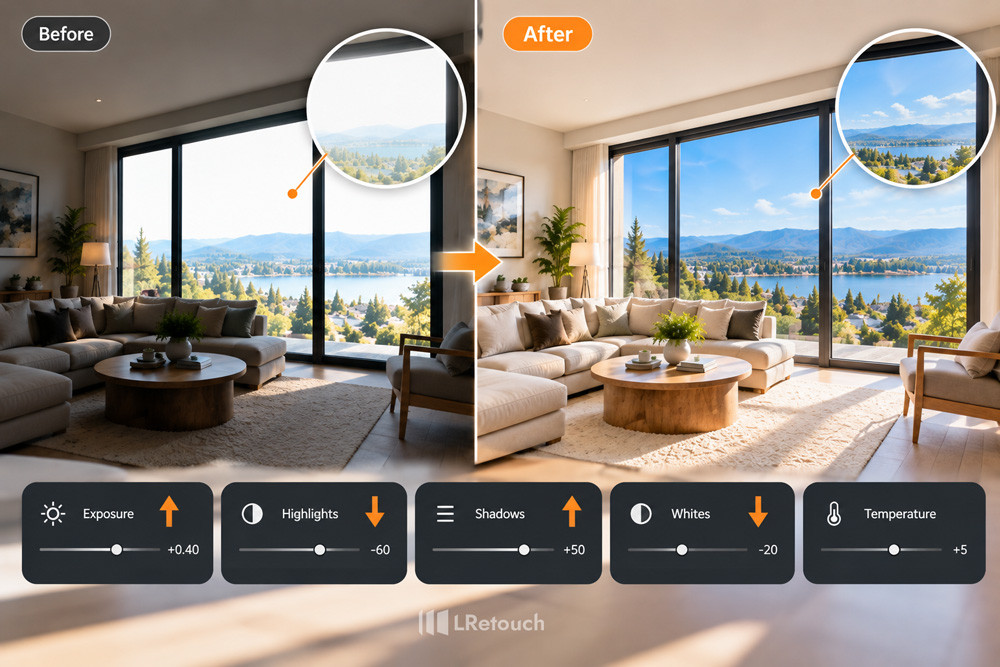
Make Real Estate Photos Brighter Without Losing Window Detail
Finally, compare the edited image with the original. Check window details, wall colors, furniture textures, and shadow transitions. The best result looks bright, clean, and believable.
Common mistakes to avoid
Even experienced photographers can make mistakes when correcting overexposed windows. Avoid these problems to maintain professional results.
- Relying on One Exposure
One photo may not capture both bright windows and dark interiors. Use exposure bracketing when the lighting contrast is strong.
- Creating Poor Masks
Incorrect masks can produce dark outlines around windows. Refine mask edges and blend adjustments gradually.
- Overediting Images
Excessive HDR, saturation, or contrast can make photos look artificial. Follow real estate photography tips that prioritize natural colors and realistic lighting.
- Skipping a Tripod
Camera movement can cause misaligned images during blending. Use a tripod to keep exposures consistent.
- Ignoring White Balance
Mixed lighting can create unwanted yellow or blue tones. Shoot in RAW and correct white balance before final adjustments.
- Expecting Editing to Restore Everything
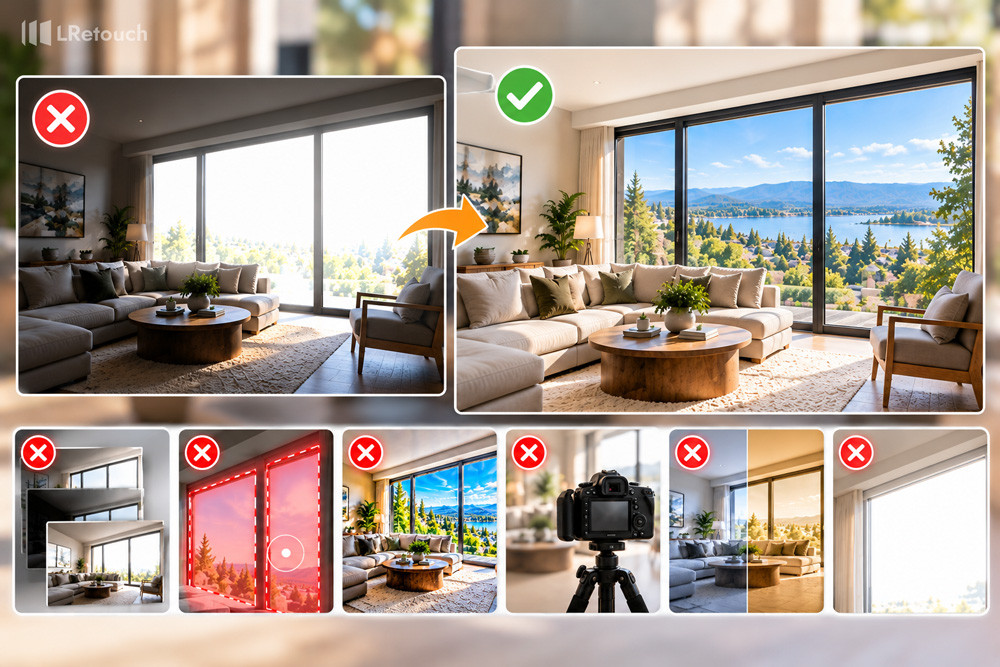
Common mistakes to avoid
Editing cannot reliably recover details that were never captured. Check window highlights during shooting and take a darker exposure when necessary.
A successful bracketed exposure window fix starts with good capture techniques. Careful editing then produces balanced, realistic property photos.
Conclusion
Learning to fix blown-out windows improves the quality of real estate photos. Use exposure bracketing, Lightroom masks, and careful editing to preserve outdoor views and brighten interiors. Mastering fix blown out windows photography helps you create natural, professional property images.